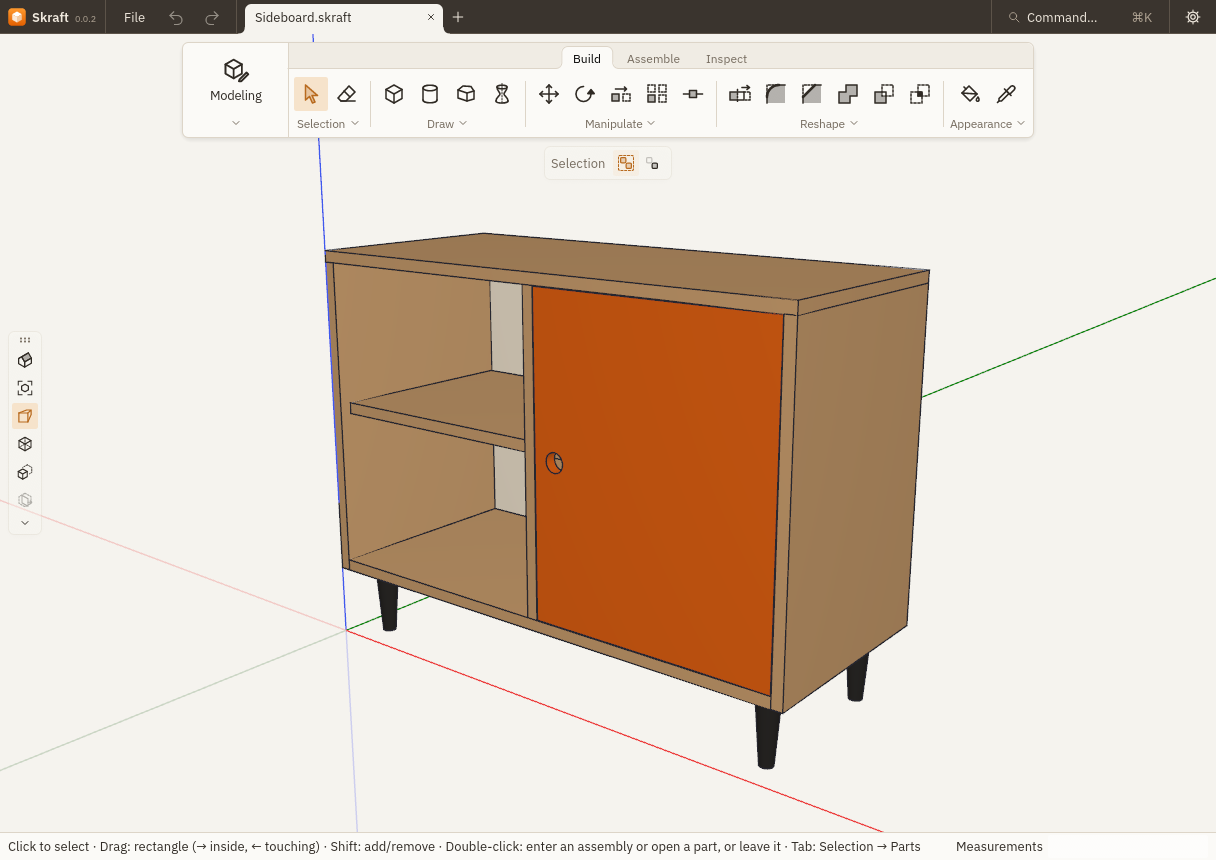
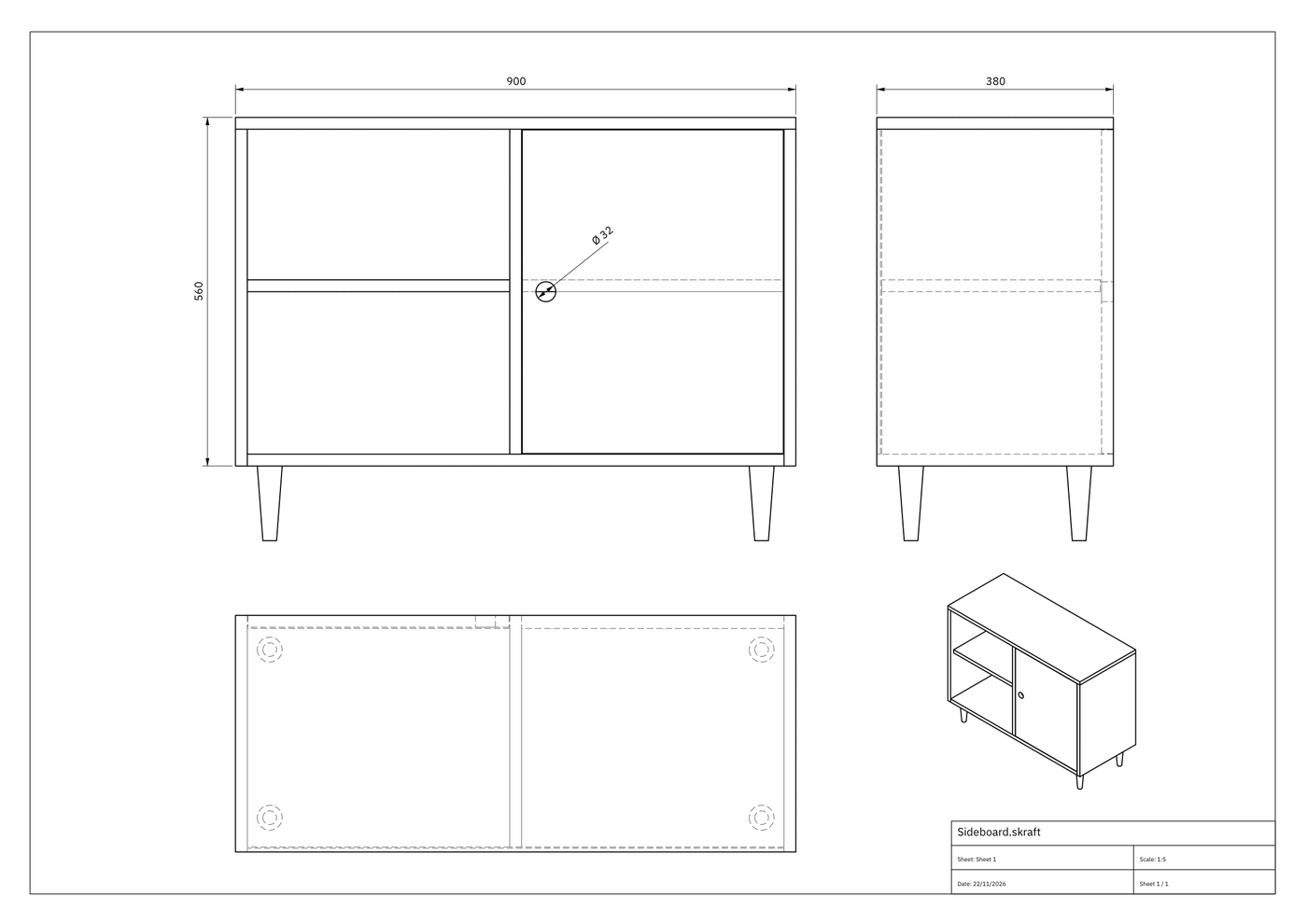
C Parts list Sizes and quantities, always up to date
| Ref. | Part | Material | L | W | T | Qty |
|---|---|---|---|---|---|---|
| 1 | Top | Oak | 900 | 380 | 19 | 1 |
| 2 | Side | Oak | 541 | 380 | 19 | 2 |
| 3 | Bottom | Oak | 862 | 380 | 19 | 1 |
| 4 | Divider | Oak | 522 | 372 | 19 | 1 |
| 5 | Shelf | Oak | 421.5 | 351 | 19 | 2 |
| 6 | Door | Orange lacquer | 520 | 419.5 | 19 | 1 |
| 7 | Back | Plywood | 862 | 522 | 6 | 1 |
| 8 | Leg | Black | 120 | 40 | 40 | 4 |
3D furniture design for woodworkers and makers
 Skraft is Open Source software for designing furniture and woodworking projects in 3D. Draw a cabinet, a bookcase or a desk from simple shapes, then take its cut list and drawings to the workshop.
Real solids, not a mesh
Where many SketchUp-style modellers stack up triangles, Skraft computes exact solids. Holes stay truly round, one part can be subtracted from another to cut a mortise or a housing, and every part knows its volume and true dimensions.
Model part by part
Each board is a real part with its own material. Group parts into assemblies, and all copies of a part change together. Type exact lengths and angles as you draw.
A cut list that stays up to date
Skraft lists every part with its material, length, width, thickness and quantity. Change the model and the list follows. Select a line to find the part in 3D.
Workshop drawings
Lay out views of your project on a sheet, add dimensions and a title block, then export a PDF ready to print for the shop.
Open your SketchUp and STEP files
Import SketchUp files (.skp) and STEP files (AP203, AP214, AP242) with their assemblies. Navigation presets match SketchUp, Fusion, SolidWorks, Onshape, Rhino and Blender.
In your browser or on your computer
Try it in the browser with WebGPU, nothing to install, or download it for macOS, Windows and Linux. Skraft is at an early stage: expect rough edges, and files saved now may not open in later versions.